A viewer purchases a reward—the bot automatically grants VIP status or plays a voice clip. A quiz begins in the chat, and you can monitor the round right from your dashboard. Subscriptions, raids, and other events are displayed right in front of you in OBS.
In the October RobinSystem update, we focused heavily on what happens during a live stream: we updated the store, expanded the games and ranks, added tools for OBS, and made the usual settings more user-friendly. And in recent days, we’ve been working on reliability: donations, rewards, and overlays are now more resilient to crashes and restarts. We’ve compiled the key changes from October 2–13—and here’s how they benefit your channel.
01Store 2.0
The store has become a full-fledged tool for interacting with viewers. Categories help you organize your catalog, the updated editor lets you customize items, and new storefronts allow you to choose a design that matches your channel’s vibe.
The main new feature on Premium is items with automatic fulfillment. You can set up temporary VIP status, a timeout, a voice message, a timed action, or experience points for ranks. After a purchase, RobinSystem performs the selected action automatically: it’s easier for you to continue your live stream, and for the viewer to receive their reward.
Purchasing has also become more convenient:
- On Premium, the
!buycommand lets you buy items right in the chat. - In the purchases section on the website, viewers can see their orders.
- On Premium, you can receive orders via Telegram and accept or decline them using buttons in the message.
This makes it easier to integrate the store into the channel’s daily life—from small, fun rewards to perks for regular viewers.
Какие витрины доступны
На Free доступны «Зефир» и «Арена».
На Premium добавляются Studio и «Мерч».
На Ultra — Monolith, «Айтем-шоп» и «Негатив».
02Trivia and Word Guessing
Chat games help fill the gaps between matches, host a themed night, or give viewers a reason to join the conversation. In this update, we’ve revamped two familiar games.
Trivia 2.0
Now you can conveniently group questions into sets—for example, you can prepare separate sets for movies, music, or the community’s favorite game. The dashboard includes sections for questions, sets, viewers, rules, and messages, and the current round is displayed next to the settings.
Individual questions can be edited one at a time. We’ve also fixed a bug that caused hidden answers to be lost after saving.
Guess the Word 2.0
Word sets and the !letter command are now available. Anagram mode is available on Premium, and tournament mode is available on Ultra. You can choose an overlay design and customize it to fit your scene; the set of available styles depends on your plan.
We’ve also improved how rounds end, how hints work, and how the game pauses: we’ve removed duplicate messages and fixed situations where a paused round would unexpectedly resume.
Вы готовите тему и правила — зрители соревнуются прямо в чате.
03Ranks with Your Own Rules
The updated ranks offer more ways to encourage participation in your channel. You can enable experience and point accrual for subscriptions, gifted subscriptions, bits, raids, and donations, and configure multipliers and one-time rewards for reaching certain tiers.
This way, the progression system better reflects your community’s traditions. You choose which events to count and how to reward viewers.
Separate tabs for Overview, Experience, Tiers, Messages, Viewers, and Security have been added to the settings. Changes are saved automatically, and the information about rewards helps you understand where the experience points came from.
По умолчанию новые начисления за подписки, битсы, рейды и донаты выключены. Откройте настройки рангов и выберите события, которые хотите учитывать на своём канале.
04Shared Timer for Rewards
On Premium, reward timers now feature a single queue and one shared overlay for the channel. The queue helps you see which reward is currently active and which one will be next.
This is convenient for timed challenges and other activities that viewers trigger through rewards. Add the shared overlay to your scene and manage the queue from your dashboard.
05Chat and Events Right in OBS
RobinSystem chat now displays more context: subscriptions, raids, announcements, shoutouts, replies to messages, bits, and newbie tags. Nickname colors, badges, and emojis are saved in the message history—making it more enjoyable to read past chat history.
A chat dock and event feed have been added to the OBS workspace. You can keep them next to your scenes and sources—this makes it easier to spot a new participant, respond to support, or see what’s happening on the channel.
The event feed is also available in your dashboard. It helps you keep track of everything in one place and revisit specific events after your stream. The dock now shows where a donation came from—DonationAlerts, DonatePay, or DonateX.
On the chat page in your dashboard, the filters have been streamlined: the “Awards” and “Twitch Events” toggles have been moved to the “View” menu, next to avatars and third-party emotes.
06Overlays to Match Your Channel’s Style
We’ve updated the donation collection design: Aura, “Scale,” “Cover,” and Prism are now available, and the editor has additional color settings. You can choose a subtle widget or make your goal a striking focal point in the stream.
A Top Donors list is now available on Premium. It helps you recognize viewers who support your channel. For DonationAlerts, DonatePay, and DonateX, a one-time history import feature is now available so you can start with data you’ve already collected. We’ve also fixed how names are displayed in DonatePay donations: names no longer get lost due to a processing error.
The settings for FACEIT, lobbies, alerts, Spotify, predictions, and chat now have a more consistent structure: an overview and tabs help you find the right setting faster. The prediction editor now displays the settings supported by the selected style.
07More Reliable During Live Streams
The most frustrating errors are the ones that happen silently: a donation came in, but no alert was sent. In this update, we addressed these issues.
| What happened | What’s new |
|---|---|
| DonatePay donations received during a service restart might not have triggered an alert | The bot remembers the last processed donation and resumes from there after reconnecting |
| Several DonatePay donations in a row were displayed from newest to oldest | Alerts are now displayed in the order they were received |
| DonationAlerts sometimes sent multiple messages in a single packet, and a donation inside could get lost | Each message is processed separately |
| If points or experience weren’t awarded for an achievement, the reward would be lost | The system will automatically retry the award |
| The Spotify overlay might show a blank screen during a brief glitch | The current track remains on the screen until Spotify responds again |
If Spotify restricts access to playback data (this happens when the owner of the connected app doesn’t have Spotify Premium), a提示 will appear in the integration settings—making it immediately clear what the issue is.
A few more fixes:
- The “Growth” section in analytics is now accessible again for all streamers.
- Nighttime follower synchronization has been extended to several hours, which reduces the load on the bot and prevents delays in viewer tracking.
- We’ve protected overlays from having third-party code injected via the theme settings.
- Voice previews in the viewer panel now take into account whether the streamer’s voice is enabled and whether the character limit has been reached.
Обновите источник: в свойствах «Браузера» нажмите «Обновить кэш текущей страницы». После обновления оверлеи сами сообщают нам об ошибках, поэтому проблемы на стороне сервиса мы увидим раньше, чем вы о них напишете.
08Viewer Panel and Website
The viewer panel loads more smoothly: instead of a blank screen with a loading spinner, you can immediately see the page layout, and data is loaded into its respective places. The “TTS Voice” and “Achievements” tabs now load only when opened—the channel page opens faster.
The viewer card now clearly explains why there’s no spot in the ranking: the channel owner isn’t included in their own ranking, and a new viewer is assigned a spot after their first activity in the chat. The spot is counted among all the channel’s viewers—whether it’s 5th or 500th.
Detailed instructions have been added to the features pages on the website: how to connect a chatbot, set up voiceover, display the chat and fundraising goal in OBS, add FACEIT stats, and run a giveaway. And every transition, alert, and package from the theme catalog now has its own page with a live preview and step-by-step setup instructions for OBS.
In the dashboard, sections transition more smoothly, without abrupt jumps, and the storefront preview shows a loading indicator while it’s loading.
Here’s another small detail that’s important for privacy: if you opt out of cookies via the banner on the website, the visitor counters are disabled—immediately and on subsequent visits.
09Dashboard and Support
We’ve updated the chat, auto-moderation, scheduler, rewards, and other sections. The interactive tour helps you get familiar with the service’s main features, and if you need to step away, you can return to it by clicking the “Continue Tour” button.
We’ve updated the top-up window and the support widget. It’s now easier to request help and keep track of your correspondence.
There are also improvements that are most noticeable in day-to-day use:
- We fixed the issues causing the scheduler to send duplicate messages and delays in their delivery times.
- General settings for the delay between commands and spam protection are now applied by the bot.
- We’ve improved top-up processing so that a single payment is counted only once.
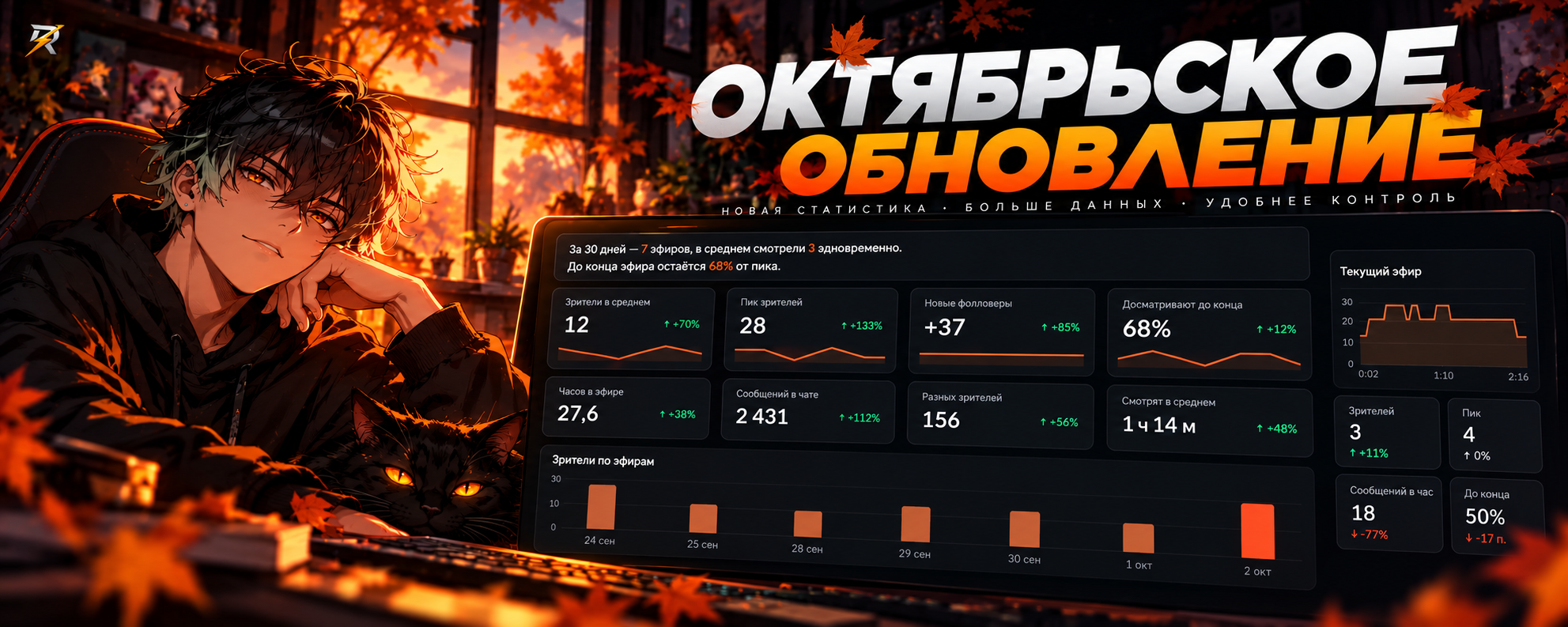
- We’ve sped up analytics data processing.
10New Features in Testing
Giveaways on Telegram
We’re testing giveaways for Telegram channels: linked to a specific channel or group, with verification of participation requirements and management via the RobinSystem dashboard. This is another way to engage the community between streams and connect activities on Twitch and Telegram.
League of Legends Overlay
We’ve developed a LoL overlay that links to your Riot ID and tracks LP. It will help you show viewers your ranking progress right during the stream.
Both features are currently in testing.
11Getting Ready for a Free Week of Premium
We’re preparing a seven-day trial of Premium. During this time, you can explore the additional features and figure out which ones will be useful for your channel.
Условия будущего пробного периода
После запуска предложение будет доступно новым пользователям, у которых ещё не было платного тарифа или пробного периода. Twitch-аккаунту должно быть не меньше 60 дней, а с регистрации в RobinSystem должно пройти меньше 14 дней. Активация появится в разделе «Баланс».
Start with one idea for your next live stream: add an automatic reward to the store, prepare a set of questions for a quiz, or customize ranks to fit your chat’s traditions. It’s these small details that make participating in your channel more engaging.