
Strip
Rank, LP, season record, and stream LP in one line
League of Legends · OBS
Rank, LP, and stream record in OBS. After every game the widget shows how much LP you gained or lost.
/overlay/lol/{key}
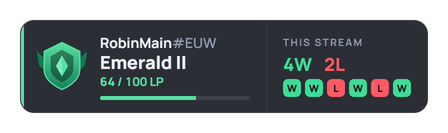
Styles
From a compact strip to a card with your current champion. Switch styles in the dashboard, the OBS URL stays the same.
Rank, LP, season record, and stream LP in one line
Card with LP bar and recent games
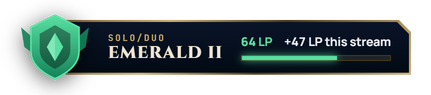
Gold frame in the game client style
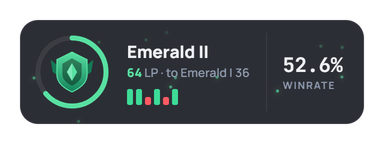
LP ring, winrate, and game bars
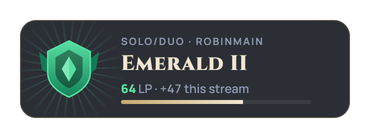
Banner and sparks on promotion
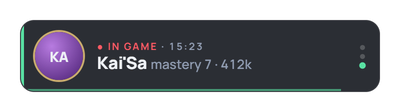
Rank, stream, and current champion in turn
Widget
Riot only returns the current rank, so we track the difference after every game and show “+21 LP” or “−18 LP”.
Wins, losses, and total LP since the stream started. The record resets on its own after 6 hours of overlay inactivity.
A new division or tier gets its own animation. Ascent plays a banner with sparks.
Pick which queue to show. Master, Grandmaster, and Challenger are shown without a division.
EUW, EUNE, RU, NA, KR, BR, TR, JP, OCE, LAN, LAS, ME, and the SEA servers.
Rotation shows who you are playing, game time, and champion mastery.
Plans
Free
Strip and Tile.
Premium
Hextech and Halo. Colors, background, and a custom image instead of the emblem.
Ultra
Ascent and Rotation.
Dashboard
Accent color from your rank or your own, background, opacity, scale, labels, and which blocks to show.
There is a support chat in the dashboard. Write there with any issue.
An OBS Browser Source widget from RobinSystem that shows your League of Legends rank: tier, division, LP, season wins and losses, and your record for the current stream. Data comes from a linked Riot account.
Link your Riot ID in RobinSystem under Settings → Integrations, create a League of Legends Rank overlay, copy the URL, and paste it into OBS as a Browser source.
Yes. The Riot API only returns the current rank, so RobinSystem compares it with the previous snapshot and shows how much LP you gained or lost, plus the stream total.
Strip and Tile are free. Hextech and Halo need Premium or Ultra. Ascent and Rotation are Ultra only.
The overlay fetches data once a minute, so a new rank and LP show up about a minute after the game ends.
Yes. Choose Solo/Duo or Flex. Every Riot region is supported: EUW, EUNE, RU, NA, KR, BR, TR, JP, OCE, LAN, LAS, ME, and the SEA servers.
RobinSystem isn’t endorsed by Riot Games and doesn’t reflect the views or opinions of Riot Games or anyone officially involved in producing or managing League of Legends. League of Legends and Riot Games are trademarks or registered trademarks of Riot Games, Inc.